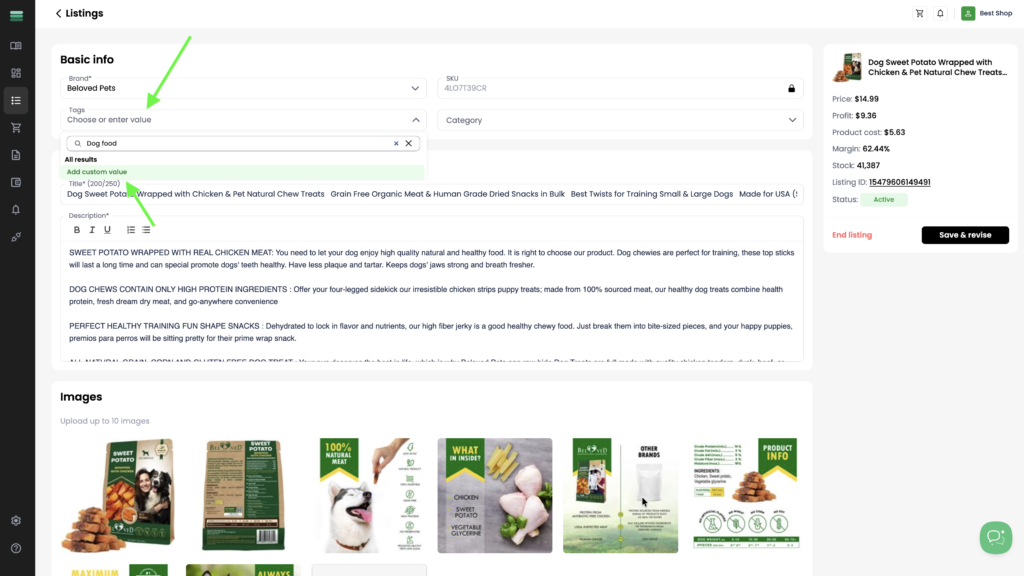
1. In the listing card, click the Tags field and start typing the tag name. If the tag doesn’t exist, click Add custom value to create it.
2. After adding the tag, click Save & revise to save your changes.
1. In the listing card, click the Tags field and start typing the tag name. If the tag doesn’t exist, click Add custom value to create it.
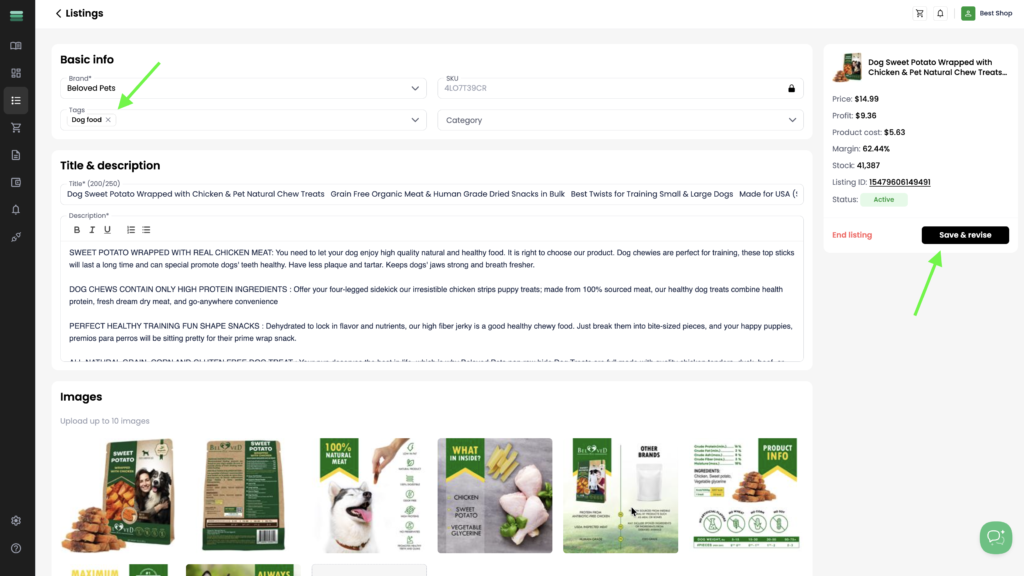
2. After adding the tag, click Save & revise to save your changes.