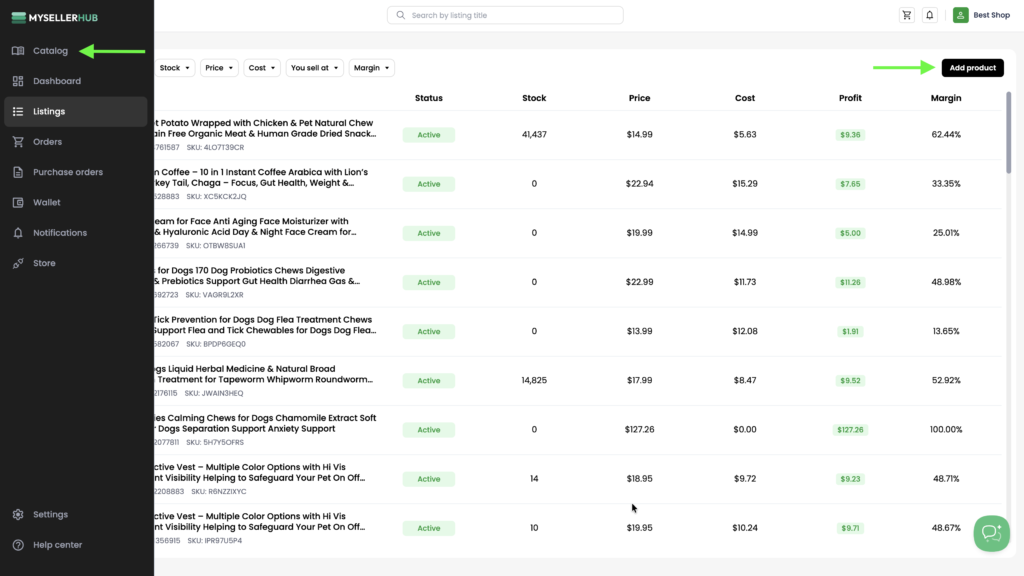
1. Go to Catalog from the left-hand navigation menu or click Add product from the Listings page.
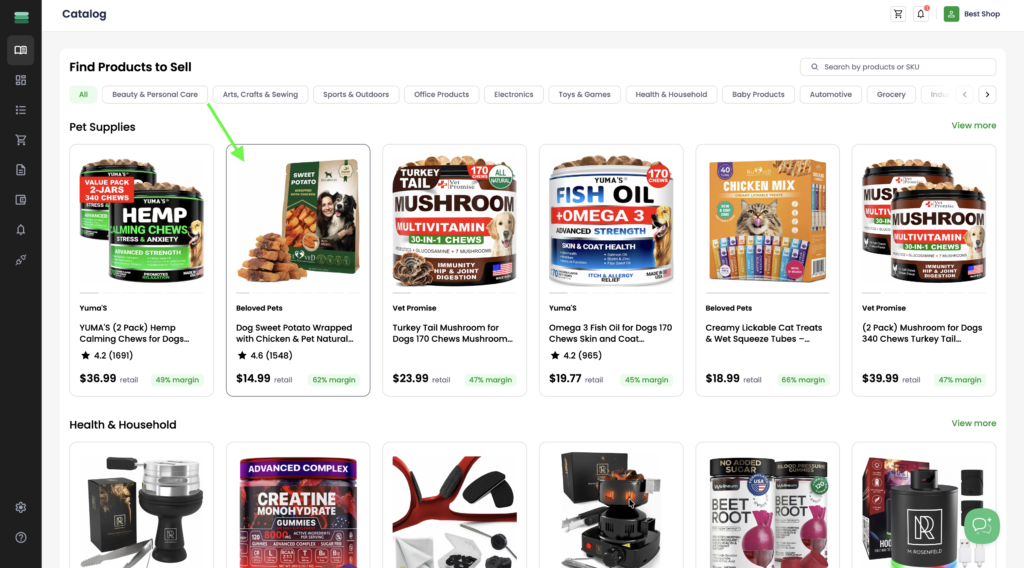
2. Select the product you want to import from the Catalog.
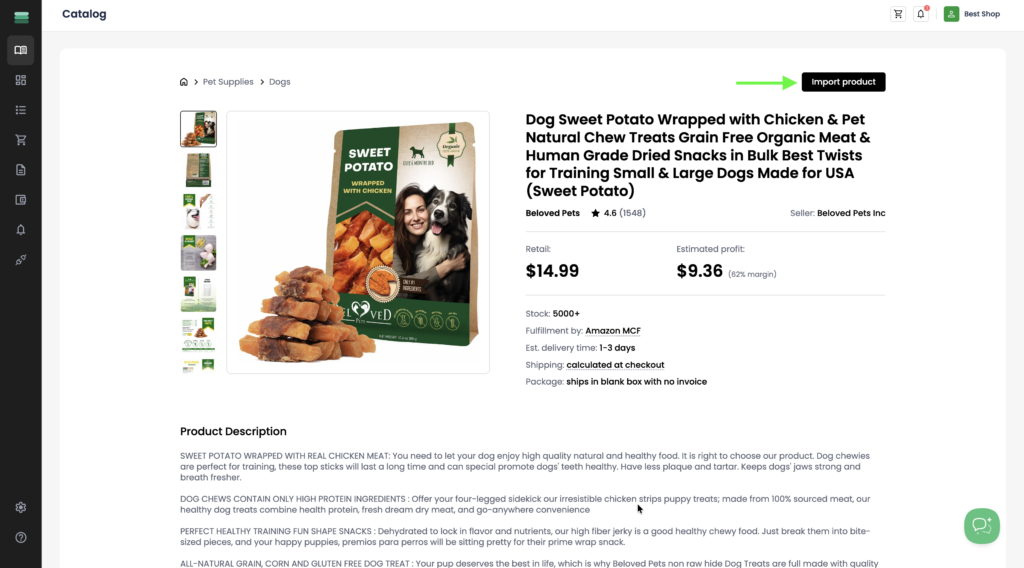
3. Click Import product to import the selected product to your store.
4. Once the import is complete, you’ll see a confirmation message indicating that the product is being published and will be ready to sell soon.
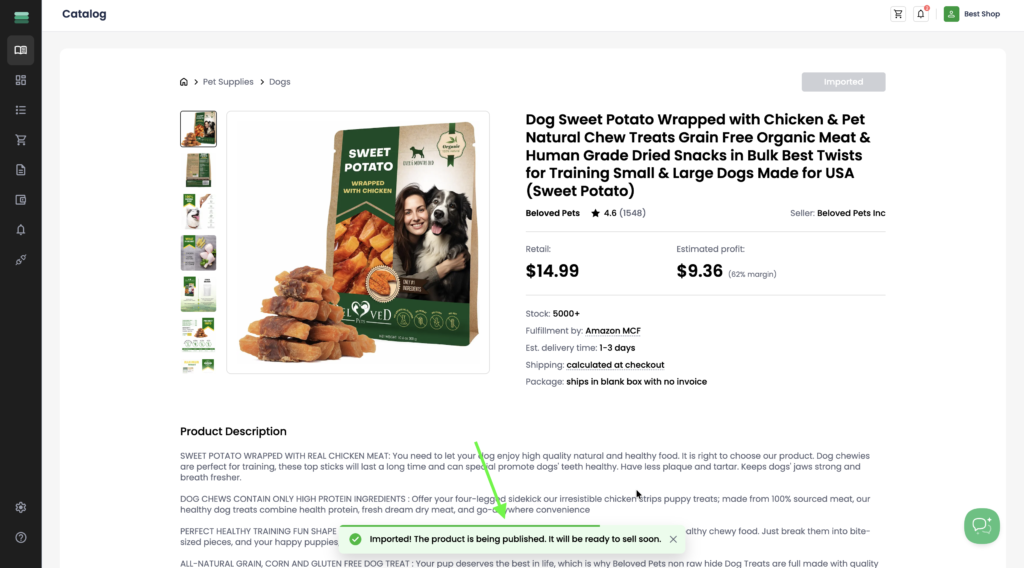
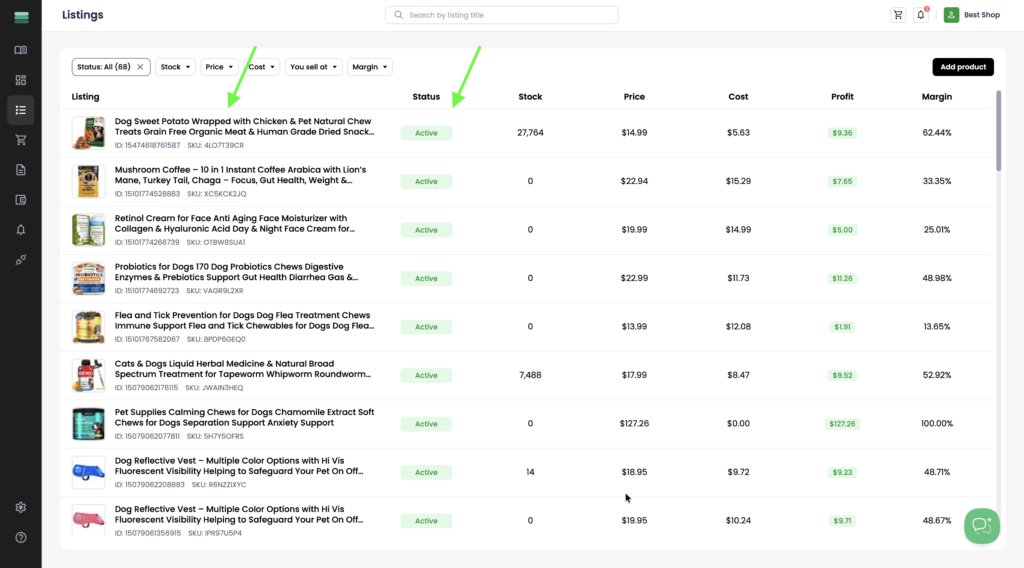
5. To view your imported product, open the Listings page from the left-side navigation menu.
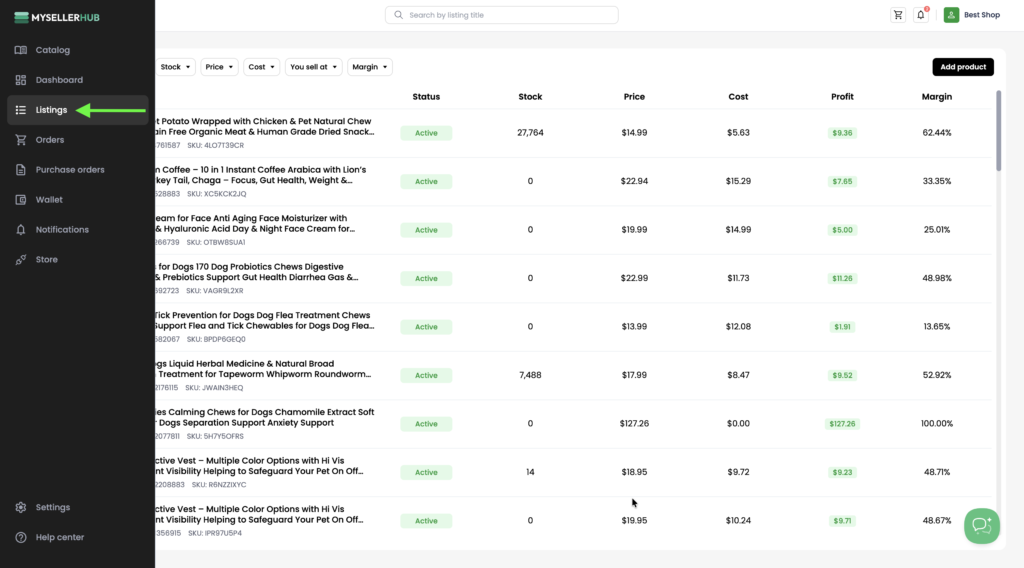
6. Once the import is complete, the product will appear in your Listings with an Active status, indicating that it has been successfully published to your Shopify store.