Introduction:
Before you start selling, you need to find and explore products that fit your business. In this step, you will learn how to browse the Resell Products section.
In this section, you will learn:
- How to access the Resell Products section.
Stages of the process:
1. To perform step 1, you need to open the side menu (it opens automatically, just hover over it) and select the Resell products section.
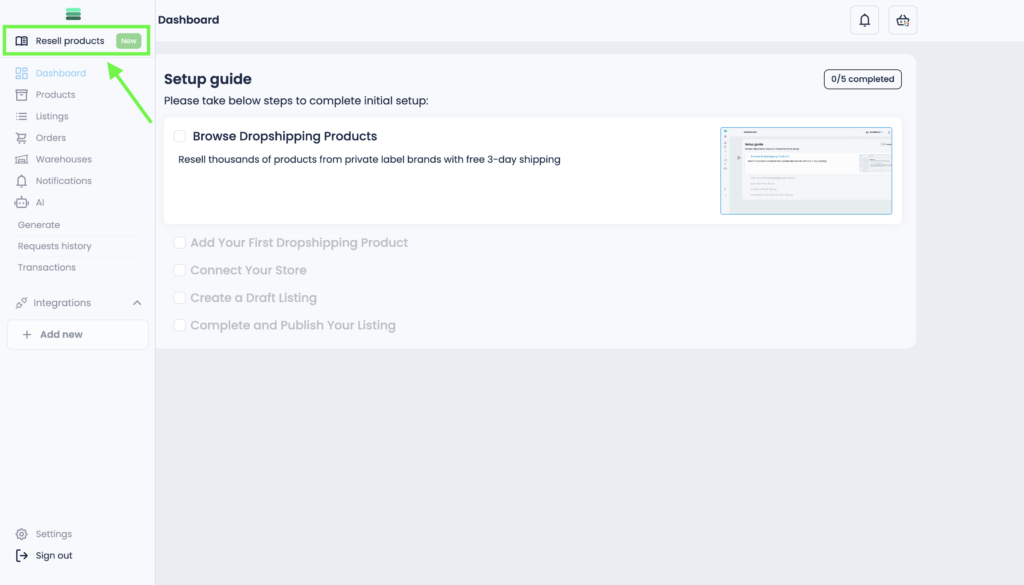
Tip: For convenience and guidance during onboarding, you can click on the video file and watch the walkthrough.
Final Thoughts:
Congratulations!
You have completed Step 1 of the onboarding process. Now, let’s move to Step 2, where you’ll learn how to add a product to your store.