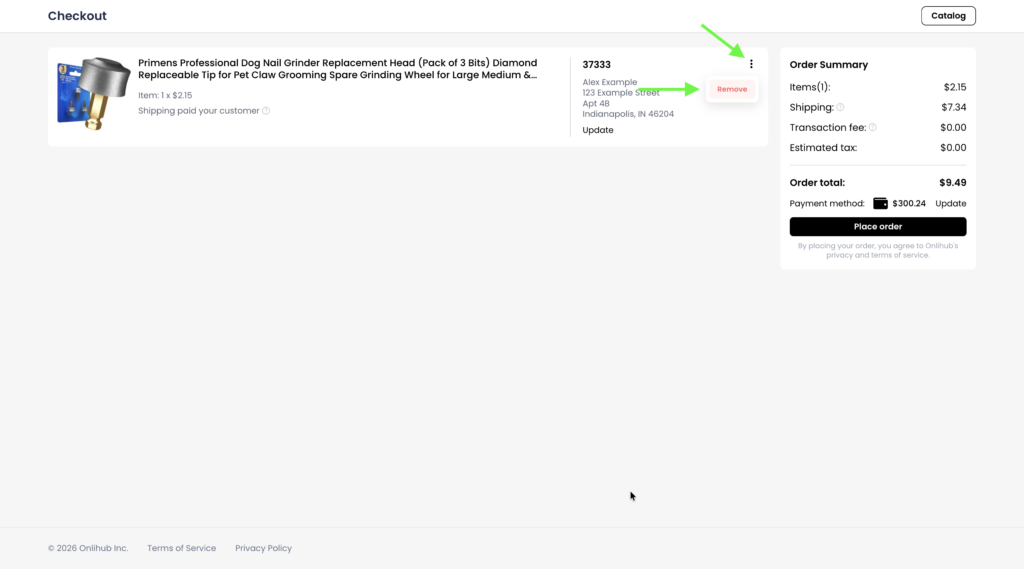
1. On the checkout page, click the three-dot menu next to the order you want to remove, then click Remove.
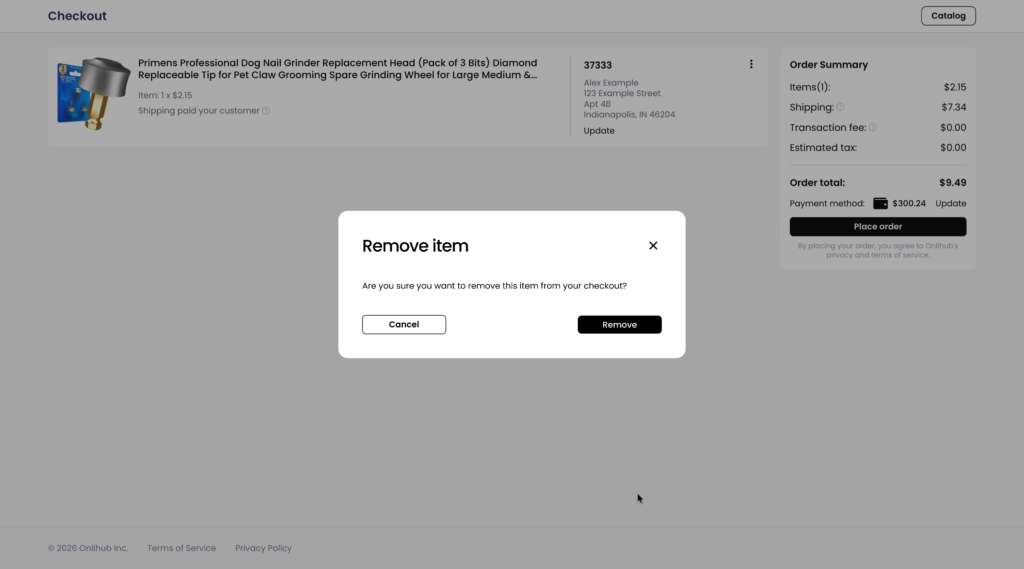
2. Confirm the action by clicking Remove. The order will be removed from the checkout.
1. On the checkout page, click the three-dot menu next to the order you want to remove, then click Remove.
2. Confirm the action by clicking Remove. The order will be removed from the checkout.