Introduction:
In this article, you will learn how to archive listings and what types of listings can be archived.
In this section, you will learn:
- How to archive a listing.
- What types of listings can be archived.
Stages of the process:
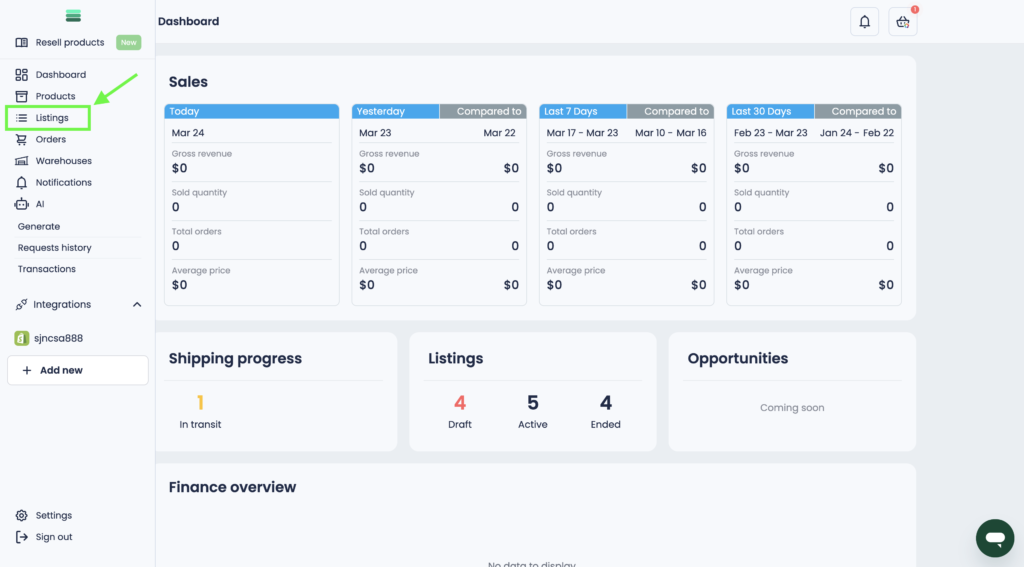
1. Open the side menu and go to the Listings section.
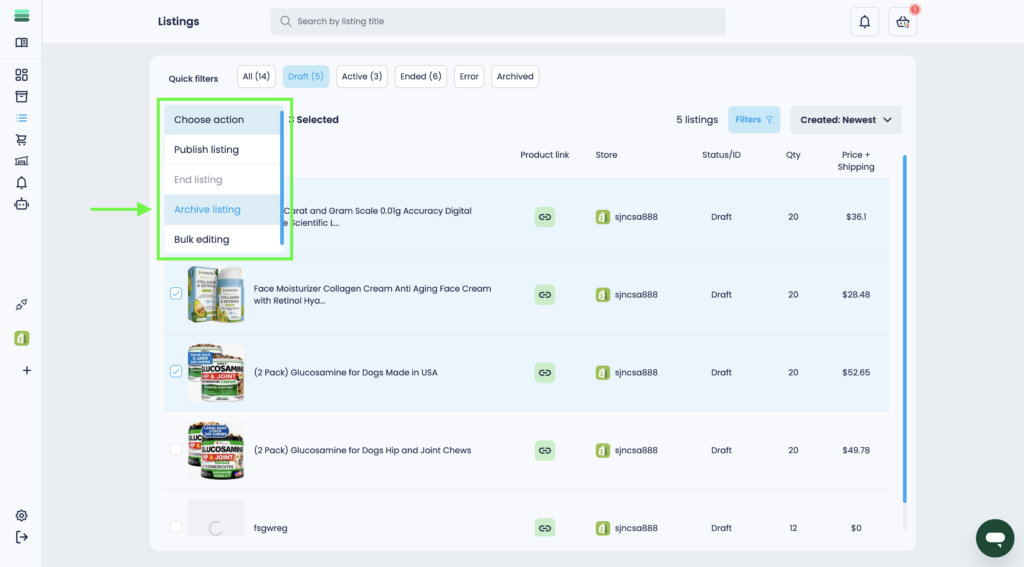
2. Select Draft or Ended statuses in the filter list.
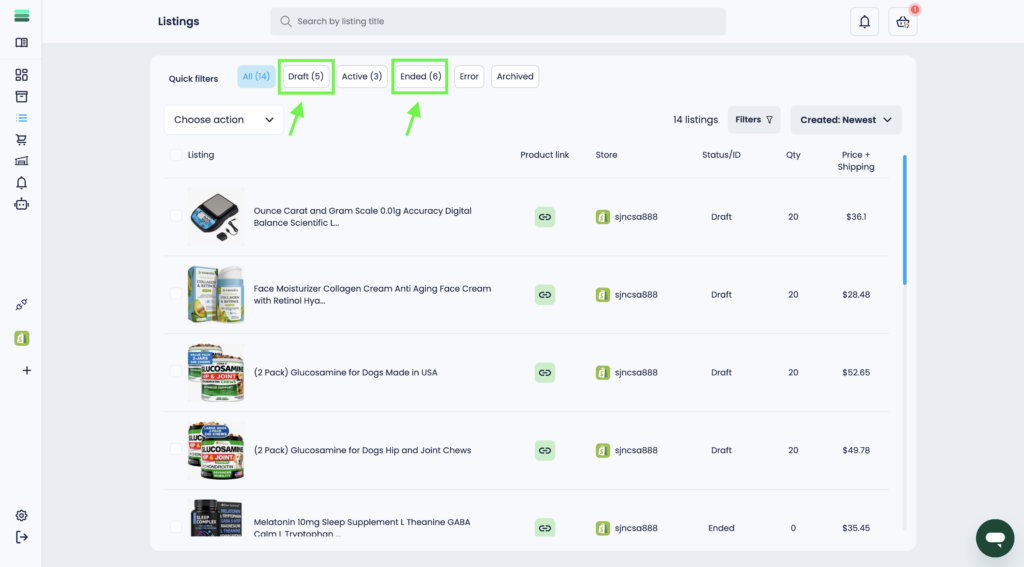
Important: You can archive only those listings that are in the Draft and Ended statuses.
3. Select 1 or more listings you want to archive. To do this, use the checkboxes.
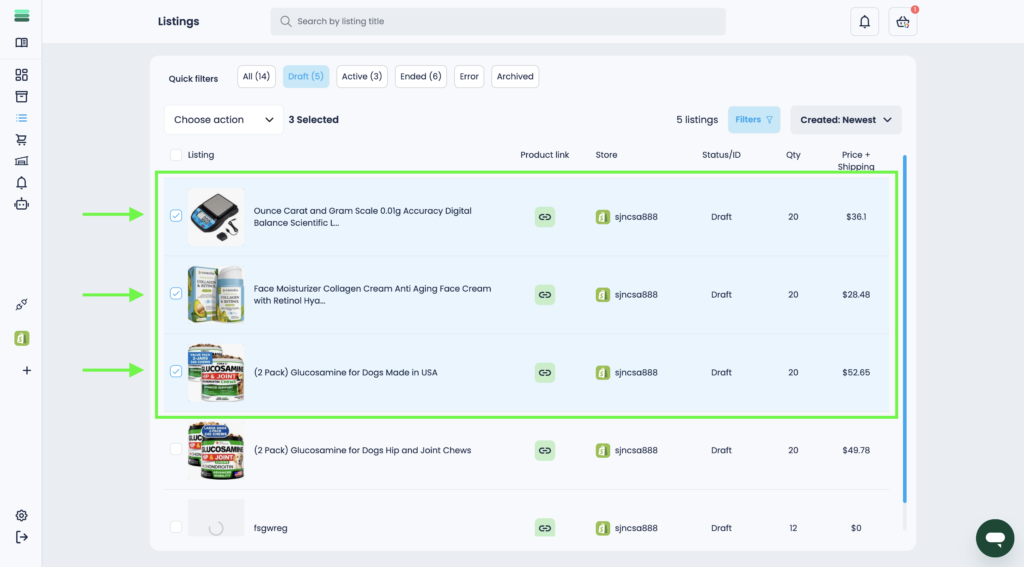
4. Open the Choose action drop-down list and select the Archive listing action.
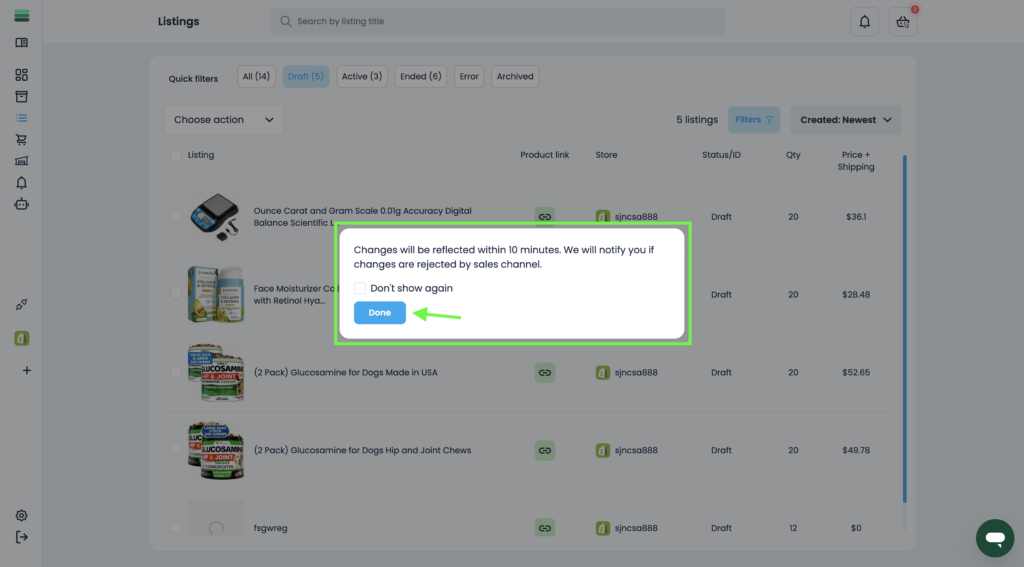
5. Confirm the archiving of the listings you selected earlier.
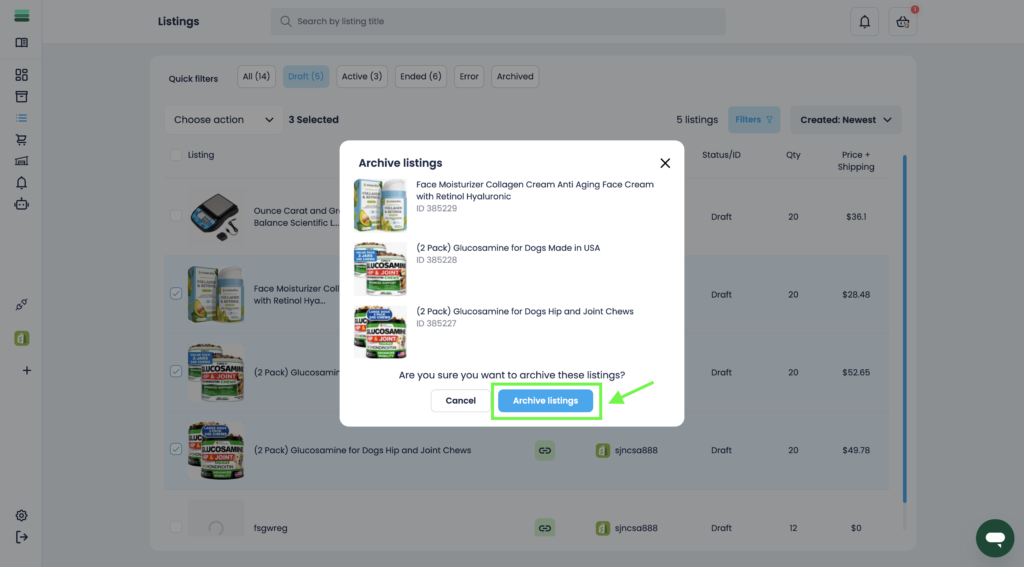
6. In a few minutes, the changes will be applied and the listings will be archived.