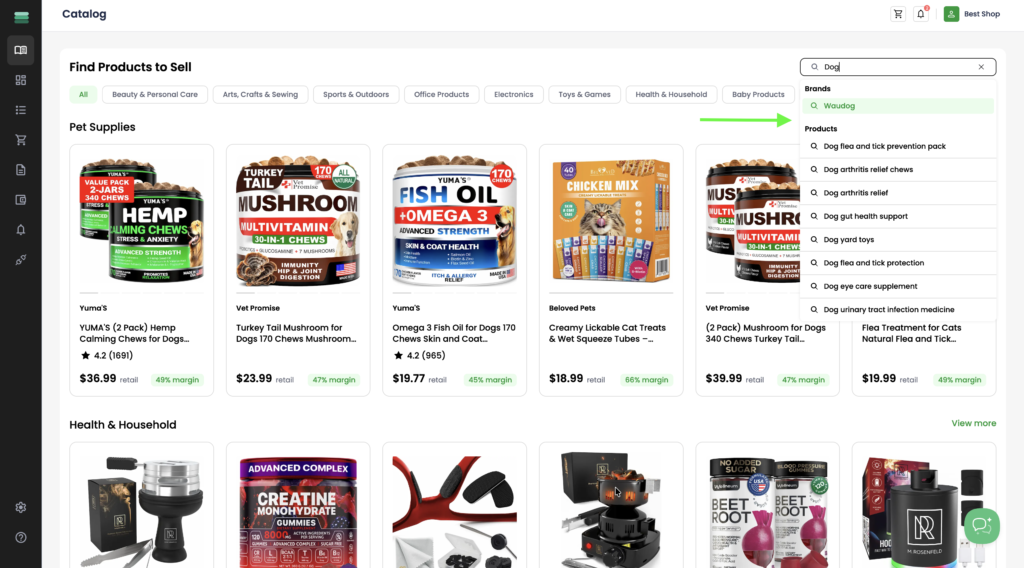
Search by product name or SKU
1. Click the search bar and enter the name or SKU of the product you want to find. Select the relevant product or brand from the search suggestions to view matching results.
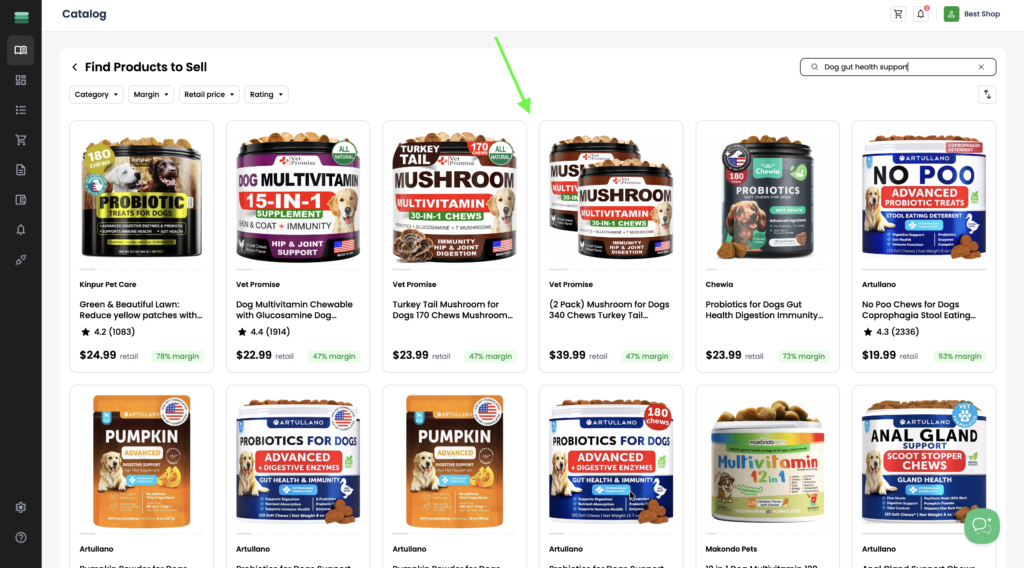
2. From the search results, select the product you want to start selling.
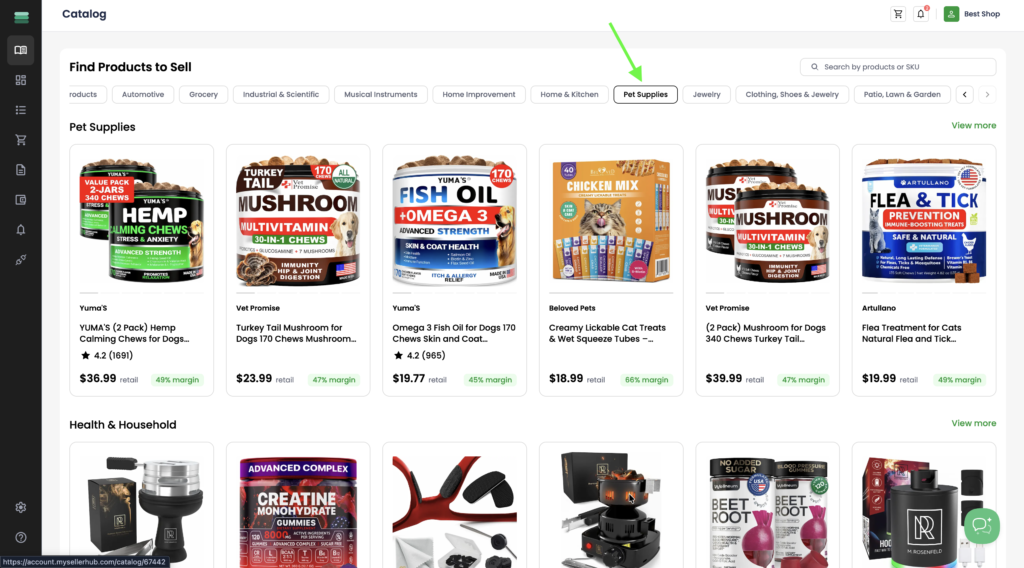
Browse products by category
1. Select a category from the slider to browse available products.
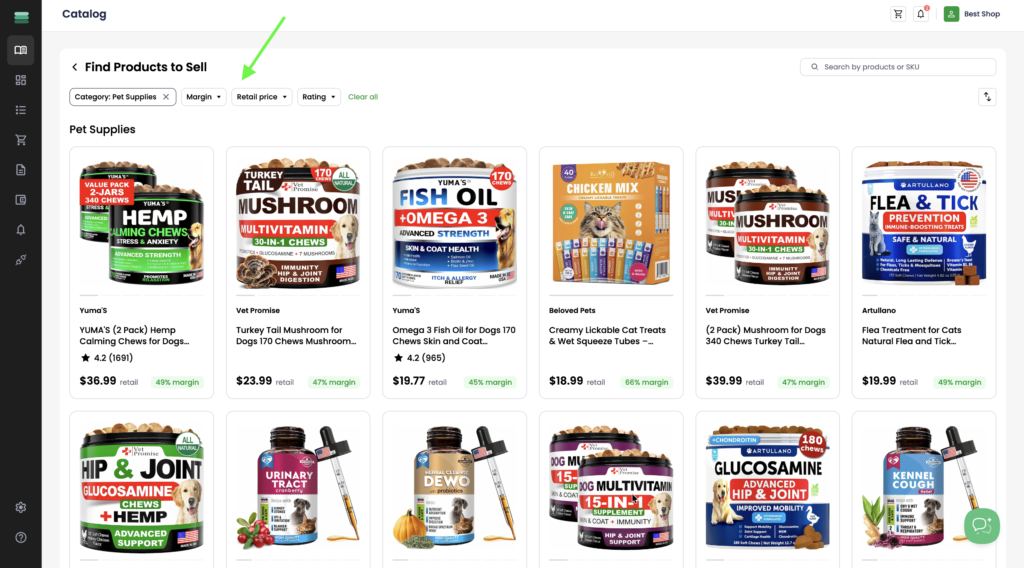
2. Use filters to narrow down the results when needed. Several filters are available to help you find the right products:
- Category – browse subcategories within the selected main category.
- Margin – display products that match your preferred profit margin.
- Retail price – filter products by their retail price range.
- Rating – show products based on customer ratings.
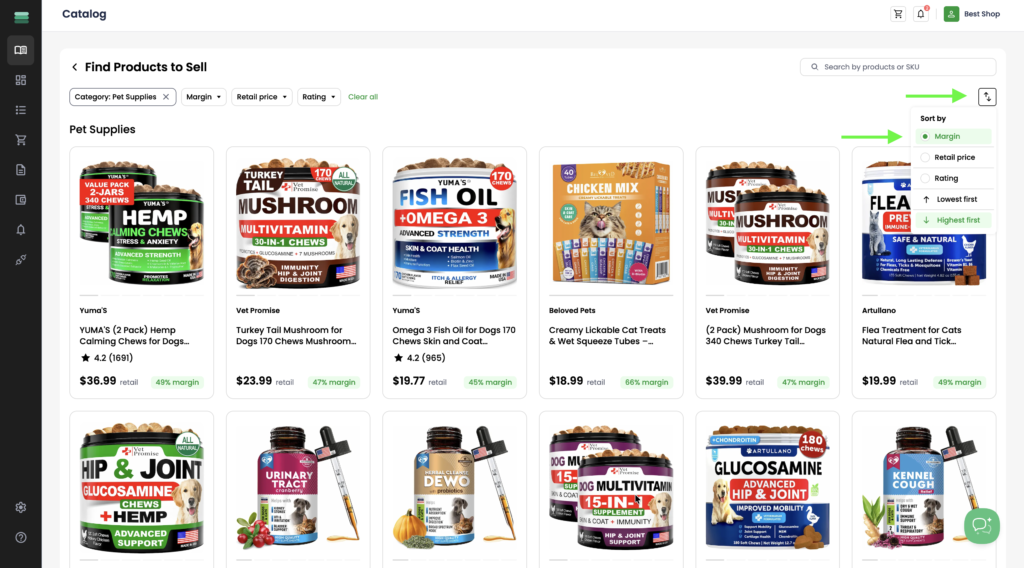
Sort products
1. Use sorting to quickly find the most relevant products. You can sort products by:
- Margin – sort products by profit margin.
- Retail price – sort products by retail price.
- Rating – sort products by customer rating.
- Highest first / Lowest first – choose whether to display the highest or lowest values first.