Introduction:
In this article, you will learn what settings are available in the integration with the eBay store.
In this section, you will learn:
- Manage connection and check store status.
- Manage markups and price rounding.
- Adding policies to your eBay store.
- Manage shipping locations.
- Manage stock levels.
Work with the eBay store:
Basic info section
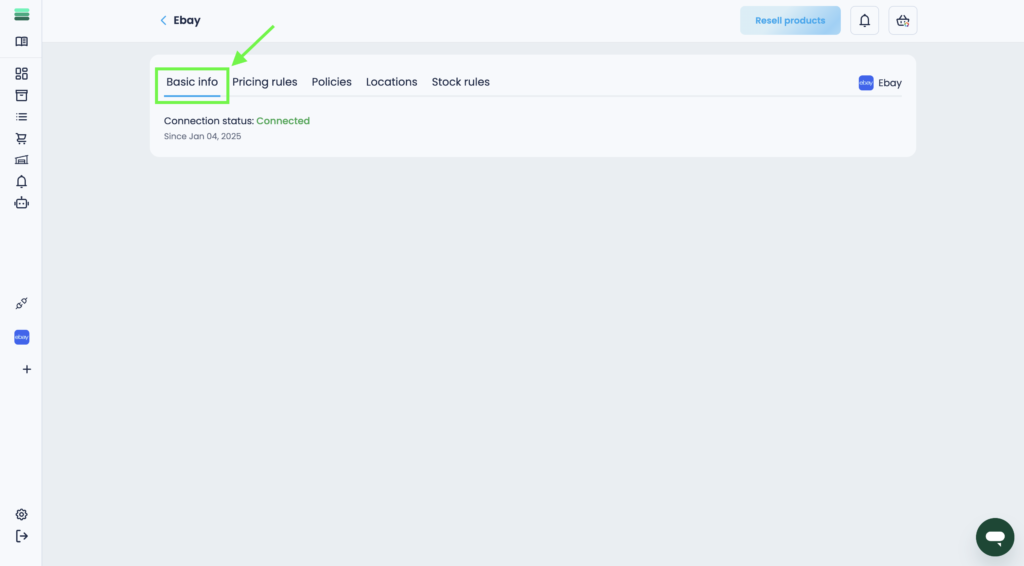
In the Basic info tab, you can check the status of your store (active/inactive) and reconnect it if you disconnect from Mysellerhub.
Pricing rules section
In the Pricing rules tab, you can set and change the markup for your listings and manage price rounding.
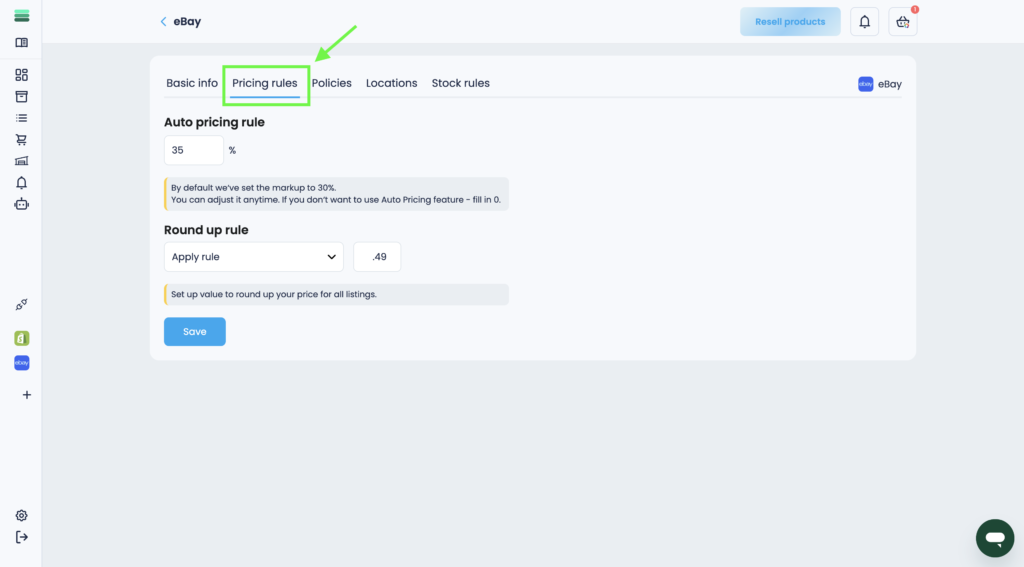
Tip: By default we‘ve set the markup to 30%. You can adjust it anytime. If you don‘t want to use Auto Pricing feature – fill in 0.
Policies section
In the Policies tab, you can add, update, and manage policies for your eBay store. You will need to set up 3 policies to start selling:
– Payment policy
– Shipping policy
– Return policy
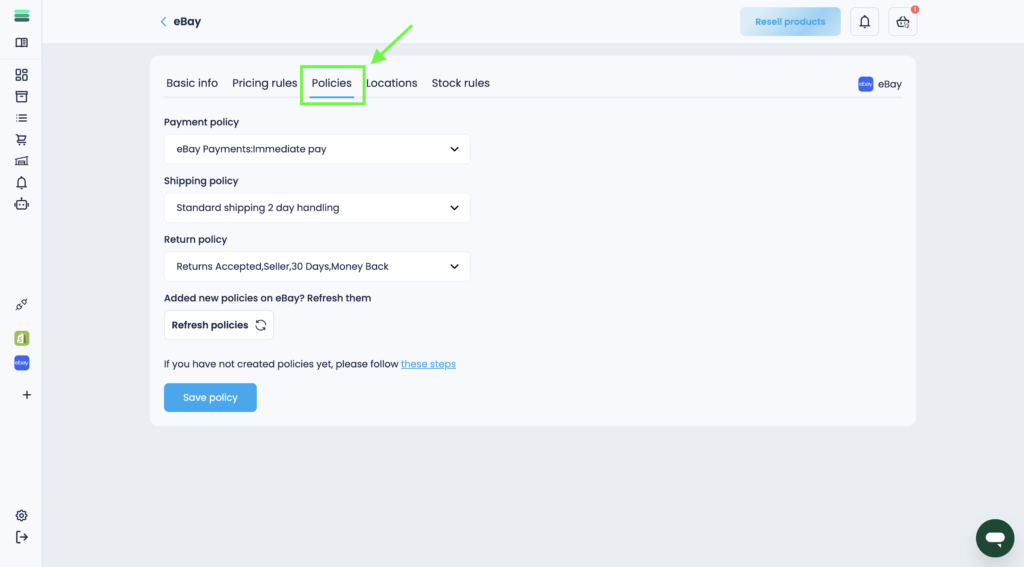
Important: Without policies, you won’t be able to start selling products. Policies are required to be added.
Locations section
In the Locations tab, you can add and configure the location where your products are shipped to customers.
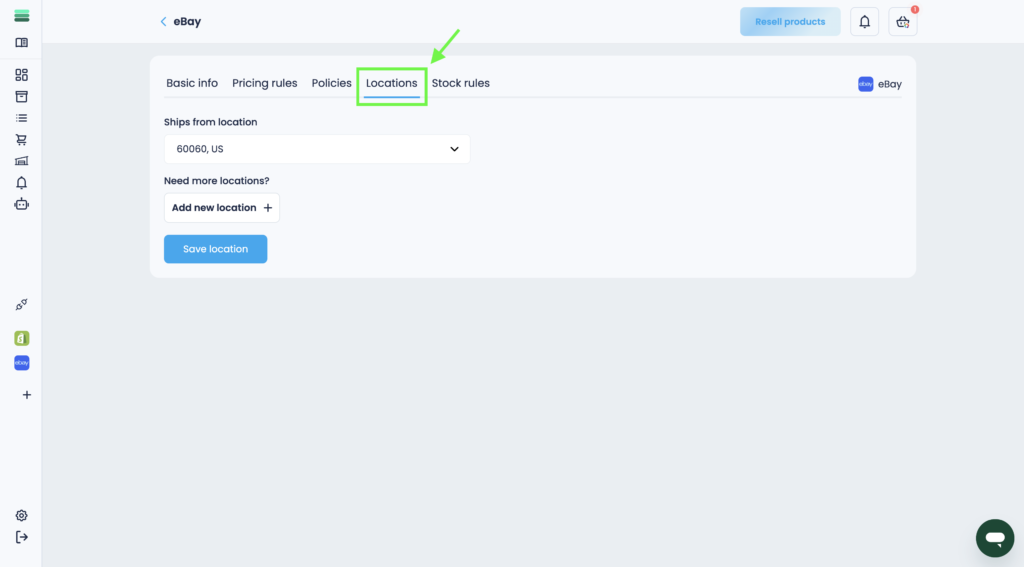
Important: Without the specified location, you will not be able to start selling products. You must specify the location of the product shipment.
Stock rules section
In the Stock rules tab, you can set the level of your inventory. Some sales channels boost listings with low stock level. You may use that knowledge to increase visibility of your listings. Provide a stock level that you want to display in your NEW listing.
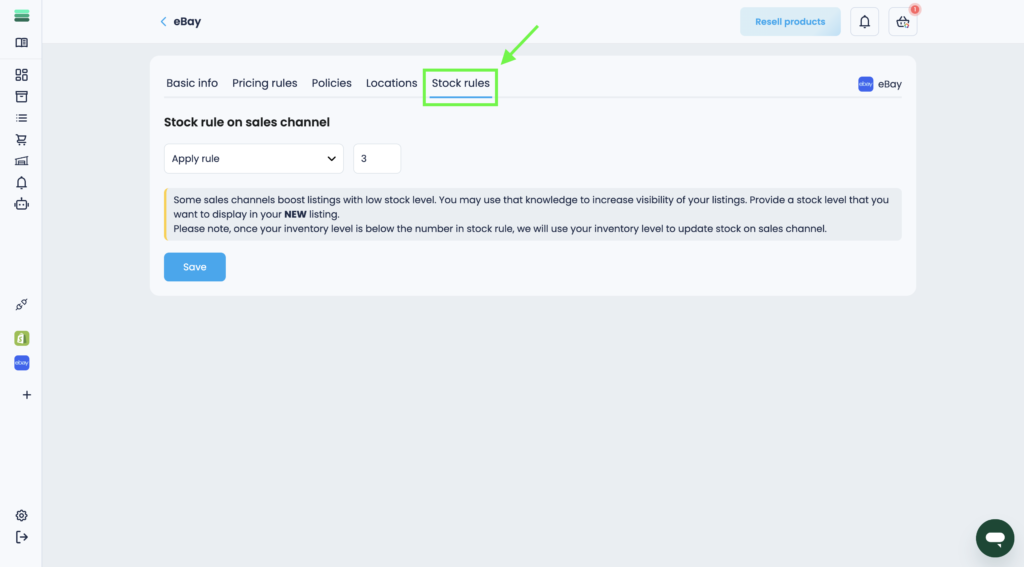
Tip: Please note, once your inventory level is below the number in stock rule, we will use your inventory level to update stock on sales channel.