Introduction:
In this step, you will learn how to finalize and publish your draft listing to make it available on your sales channel.
In this section, you will learn:
- How to publish a listing.
Stages of the process:
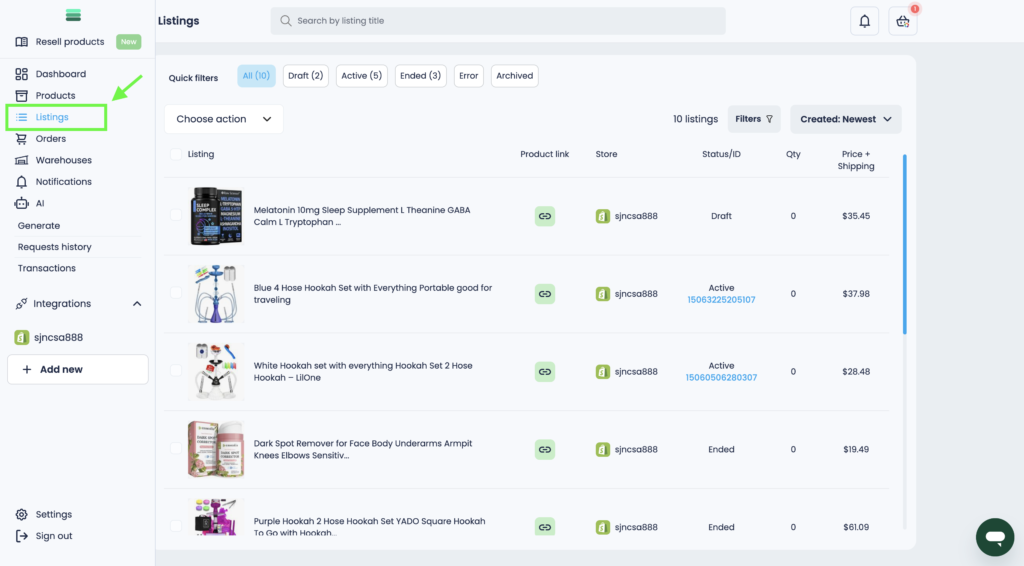
1. Go to the Listings section in the sidebar menu.
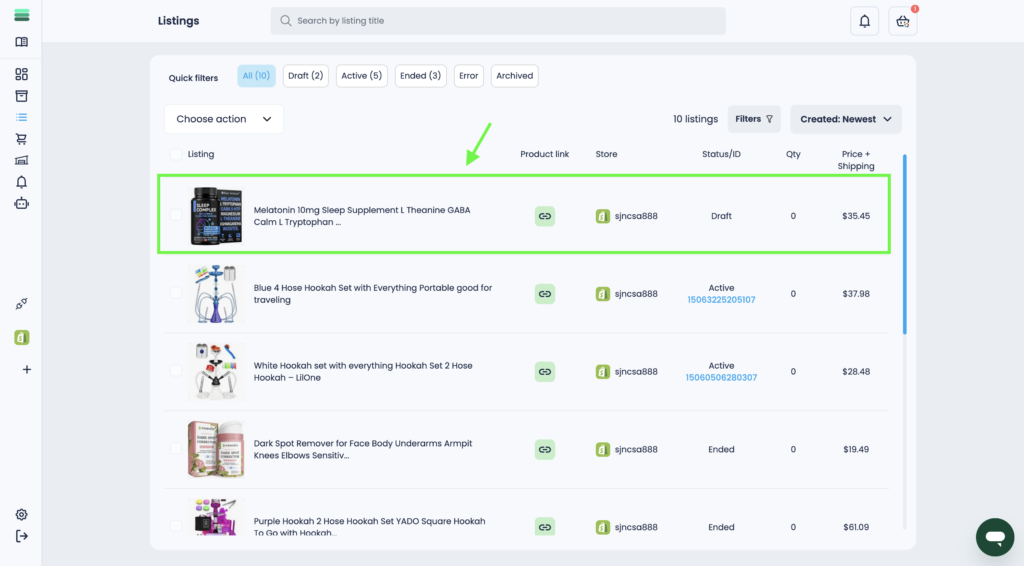
2. Open the card of the draft listing you want to publish.
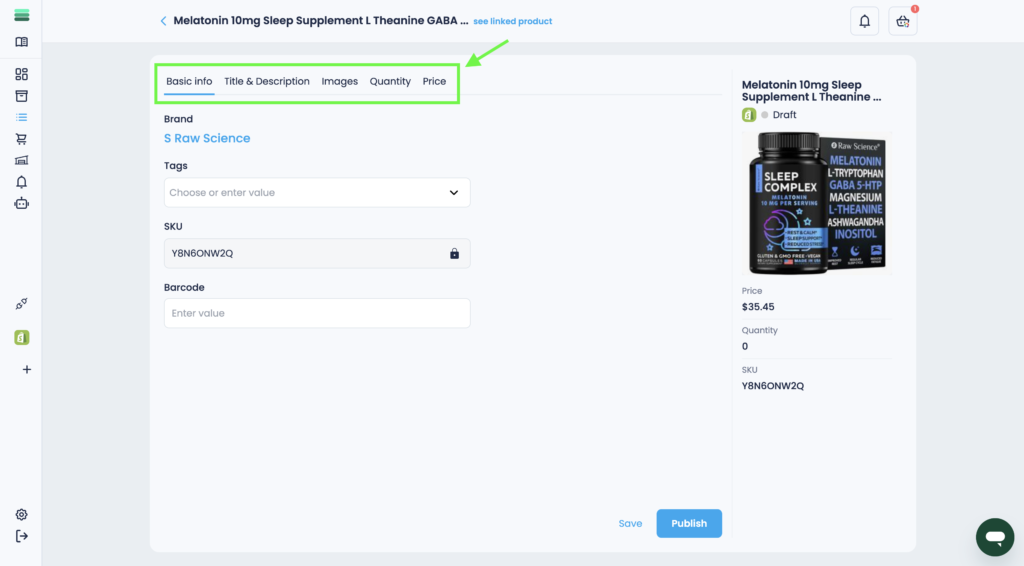
3. If necessary, edit the details of the future listing.
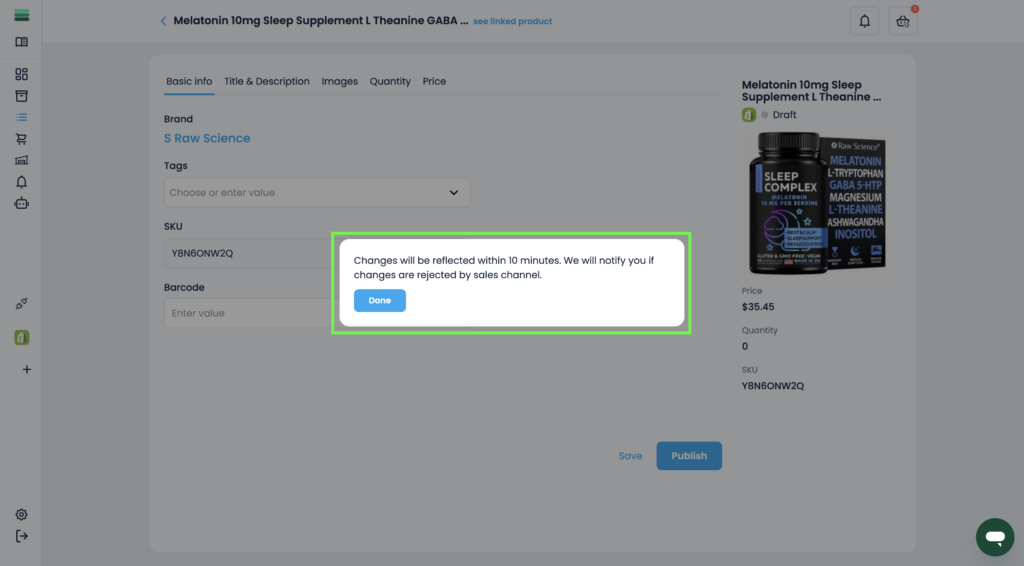
4. To publish the listing, click on the Publish button.
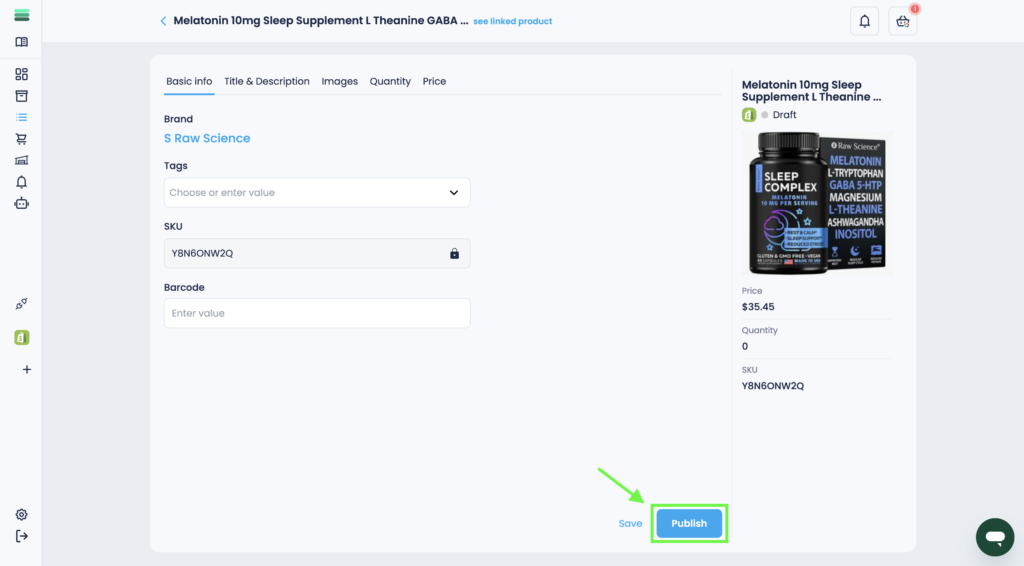
5. Your listing will be published shortly, and its status will change to Active once completed.
Final Thoughts:
Congratulations!
You have successfully published your listing. Now, your product is live on the selected sales channel.