Introduction:
In this article, you will learn how to get AI credits.
In this section, you will learn:
- How to get additional AI credits.
Stages of the process:
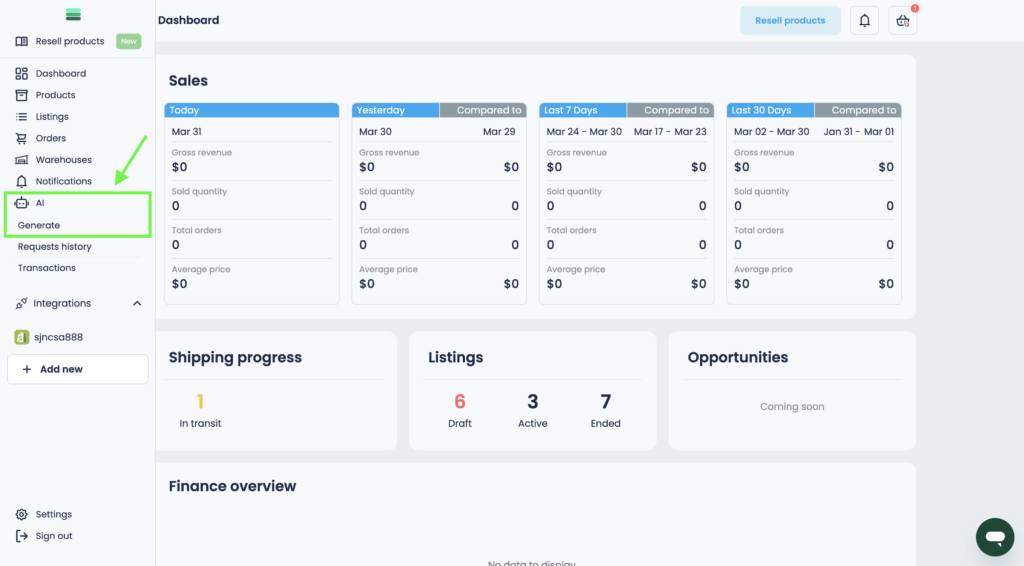
1. In the side menu, open the Generate tab in the AI section.
2. Find the AI Balance button and click on it.
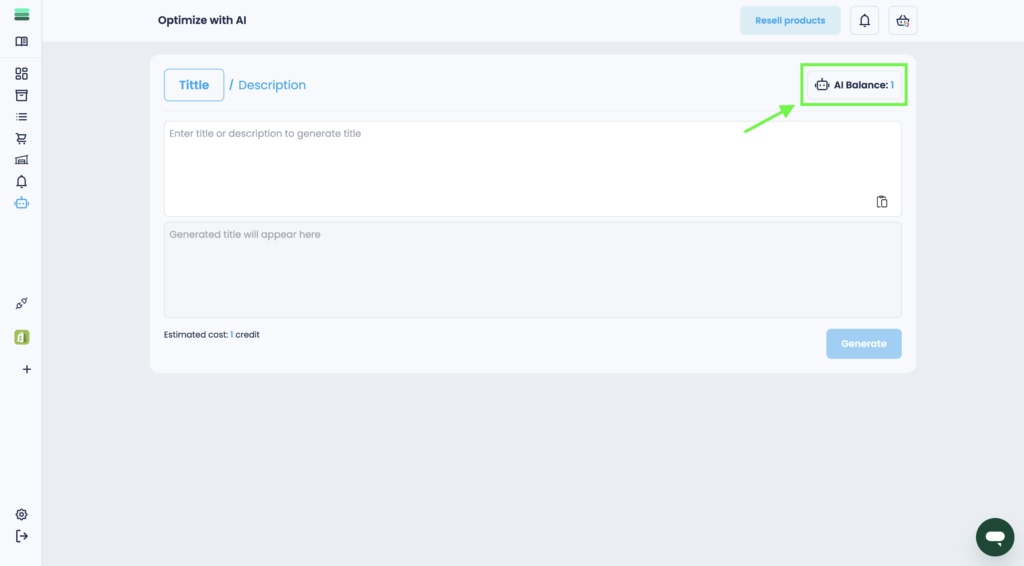
Tip: AI Balance button immediately works as an indicator of the number of your available credits.
3. Copy your personalized invitation and share it with your friends or acquaintances. For 1 invited user, you will receive 7 AI credits.
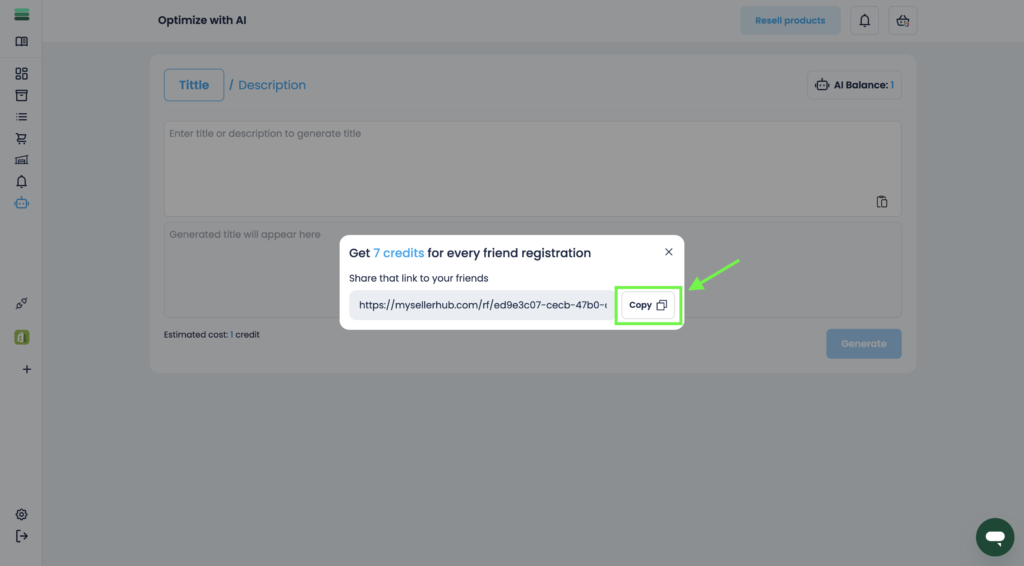
Tip: Currently, this is the only way to add AI credits. Additional methods will be available in the near future.